OpenArt vs Higgsfield for AI filmmaking: which is best for your first AI short film?
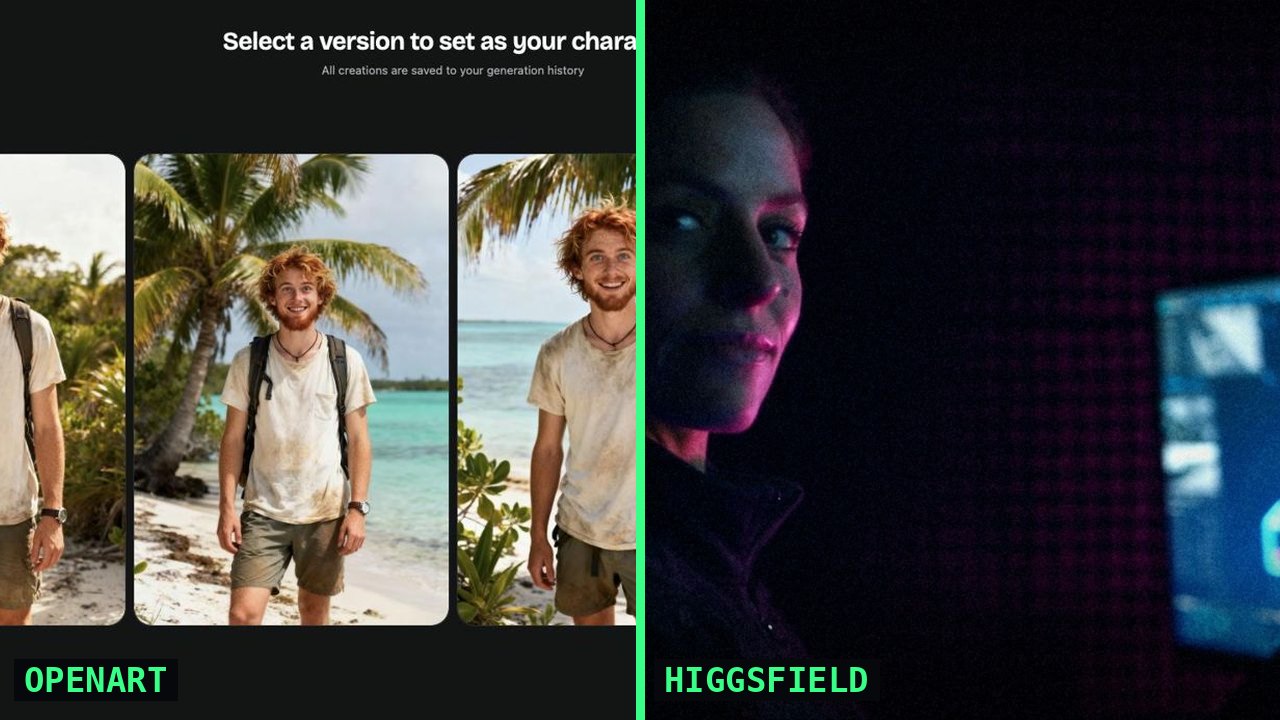
- I've finished a short in each tool. I made All the Pretty Seahorses (about 3 min, horror) in OpenArt for about $100, roughly 24 hours over 4 days. I made FEMTECH (tech-noir) in Higgsfield for about $200, 20–30 hours over 4–5 days.
- OpenArt is image-first. You build and lock characters and stills, then animate them with the video model you pick. It suits storyboard thinkers, stylized looks and anyone who wants to choose a model shot by shot.
- Higgsfield is motion-first. Its Cinema Studio workspace is built around camera, lens, genre and AI actors. It suits people who think like a director or DP and want a cinematic, character-driven look fast.
- Both can carry recurring characters and both offer voice options now. The old line that "neither does audio" is out of date. Check current pricing on each site, because both bill in credits that vary by model, length and resolution.
People ask me this constantly: "OpenArt or Higgsfield for my first AI short?" I've finished a short in each, so here's what I actually used, what it cost and who I'd point to which tool.
One rule first. Both platforms ship updates every few weeks. I'm describing how each one feels to work in and linking to their own pages for features. Check the current version before you commit.
What each platform actually is
OpenArt is a hub of image and video models with a creative toolkit on top. Its video generator puts several video models side by side. OpenArt's own blog lists Seedance, Kling, Sora and Veo, among others. It also has a Characters library where you save a character once and reuse it.
Higgsfield is built around video, and specifically around making it look like cinema. Its Cinema Studio is organized like a film set. You control camera, lens and lighting, build AI actors, and reuse characters and locations through what Higgsfield calls Elements.
Neither one replaces your editor. I cut both films in Final Cut Pro and scored both with Suno.
Image-first vs. motion-first
On Seahorses I started with stills, using Nano Banana and GPT Image 2.5 inside OpenArt. I built Keegan, Trevor and Nereus, the Florida Keys and the seagrass, and then animated those frames with Seedance. The creative logic runs from stillness to movement. You paint the frame, then choreograph it. If you storyboard or come from photography, illustration or design, this will feel like home.
On FEMTECH I still made reference images with GPT Image 2.5, but the film really lived in Higgsfield's Cinema Studio. There you think in shots from the first prompt: what the camera does, what lens it's on, what genre the scene belongs to. If you've directed actors or shot real footage, Higgsfield clicks faster.
Character consistency
Consistency is what separates a cool AI experiment from a watchable short. Both platforms now treat it as a core feature, but the workflow feels different in each.
OpenArt: I ran what I call the reject → lock loop. I generated several variants of each character, rejected the ones that weren't right, and locked one as a saved character. Every later shot started from that locked character, image to video, never from text alone. OpenArt's own consistency guide recommends basically the same thing: one clean reference, saved once, then animate from the image. It's very controllable, and it asks you to be disciplined.
Higgsfield: characters and references are built into Cinema Studio itself. You build an actor or upload references, and the tool carries them from shot to shot. The barrier is lower, and you make fewer setup decisions. The trade-off is that you're working inside Higgsfield's idea of a cinematic shot.
Neither one is perfect. On both films I still threw away takes because a face drifted. Budget for rejects either way.
Look and aesthetic range
Because OpenArt lets you choose between image and video models, you get a wider stylistic range: photoreal, painterly, stylized, animated. Seahorses needed a sun-bleached, slightly-off Florida horror look, and being able to pick the model for each job helped.
Higgsfield leans hard into cinematic grammar. Lenses, film-stock looks, genre and grading are first-class controls. FEMTECH is neon tech-noir, and that's exactly the kind of mood Higgsfield makes easy to hit. If your film looks "like a movie" in the traditional sense, Higgsfield gets you there with fewer knobs.
Voices and audio
A lot of older comparisons say neither platform does audio. That's out of date, so check the current version of each.
- Seahorses (OpenArt): I recorded every line myself on my phone. Then I used OpenArt's native voice cloning to turn my own voice into each character. My performance keeps the timing and comedy human, and each role still sounds distinct.
- FEMTECH (Higgsfield): I made the voices inside Higgsfield.
Music came from Suno on both films, on a paid tier for commercial rights. If you clone a voice, make it your own or get written consent. Festivals increasingly ask about this.
What it cost and how long it took
| OPENART · SEAHORSES | HIGGSFIELD · FEMTECH | |
|---|---|---|
| Approach | Image-first: stills → lock → animate | Motion-first: direct shots in Cinema Studio |
| Stills / references | Nano Banana + GPT Image 2.5 | GPT Image 2.5 reference images |
| Video | Seedance, inside OpenArt | Cinema Studio |
| Characters | Saved/locked characters (reject → lock loop) | Built-in characters and references |
| Voices | My performances + OpenArt native voice cloning | Made in Higgsfield |
| Finishing | 480p drafts → Topaz upscale to 2K · Suno · Final Cut Pro · ChatGPT for story | Suno · Final Cut Pro |
| Best for | Storyboarders, stylized looks, model-by-model control | Director/DP thinkers, cinematic character work |
| My cost | About $100 | About $200 |
| My time | ~24 hours over ~4 days | 20–30 hours over 4–5 days |
| Pricing | Credits. Check current pricing | Credits. Check current pricing |
Don't read that as "Higgsfield costs twice as much." The two films used different styles and stories, and I put in more hours on FEMTECH. What held across both: spend tracks generating hours, not runtime. Both shorts run about three minutes. The one I spent longer generating cost more. On OpenArt, the habit that saved me the most was drafting motion at 480p and upscaling only the keepers to 2K with Topaz. I break all of this down in what an AI short film actually costs.
Which one should you pick?
Pick OpenArt if…
- You think in frames: storyboards, stills, design.
- Your film has a specific or stylized look that might not fit a "cinematic" preset.
- You want to choose a different image or video model for different shots.
- You want a tight reject → lock workflow with your own saved characters.
- You want to perform your own dialogue and clone your voice into the cast.
Pick Higgsfield if…
- You think like a director or DP: camera moves, lenses, genre, mood.
- You want a traditional cinematic look with fewer decisions to make.
- Your story is character-driven, and you'd rather direct actors than build every frame.
- You want everything in one focused workspace.
For your very first short
Pick the tool that matches how you already think, then finish something. One and a half to three minutes is plenty. And don't subscribe to both at once. Splitting credits across platforms is how a $100 film becomes a $300 one. Not sure where to start? The free Pipeline Picker recommends a stack in five questions. You can watch both of my films on the case study page.
Want my exact OpenArt workflow?
The All the Pretty Seahorses guide covers the reject → lock loop, the prompt playbook, the self-voice-clone process and the 480p-to-2K finishing steps. It's $18. The AI Film Festival Submission Kit is $18, or get both in the bundle for $28.
Feature references checked October 17, 2026, on the official sites: OpenArt: consistent characters in AI video · OpenArt: Seedance 2.0 vs 2.5 · Higgsfield: how to use Cinema Studio. Both products change often, so check the current version and pricing before you subscribe. Not affiliated with either platform.
FAQ
Is OpenArt or Higgsfield better for a first AI short film?
Neither is better across the board. OpenArt suits image-first creators who storyboard and want to pick models shot by shot. Higgsfield suits director-minded creators who want a cinematic, character-driven look with fewer decisions. Pick the one that matches how you think, then finish a 1.5–3 minute short.
Which is better for character consistency, OpenArt or Higgsfield?
Both handle recurring characters now. In OpenArt I locked characters with a reject → lock loop and animated from the saved image. Higgsfield's Cinema Studio builds characters and references into the workspace. Either way, budget for some rejected takes.
Do OpenArt and Higgsfield generate voices and audio?
Yes, in their current versions. I used OpenArt's native voice cloning on my own performances for All the Pretty Seahorses, and made the voices for FEMTECH in Higgsfield. I used Suno for music on both. Features change often, so check the current version.
How much does it cost to make a short film in OpenArt vs Higgsfield?
My 3-minute OpenArt short cost about $100 (about 24 hours over 4 days). My Higgsfield short FEMTECH cost about $200 (20–30 hours over 4–5 days). Both bill in credits that vary by model, length and resolution, so check current pricing.
Should I subscribe to both OpenArt and Higgsfield?
Not for your first film. Splitting credits across platforms raises costs fast. Pick one, finish a short, then try the other on your next project.